
Terms of Service for STScan 3D Scanner Systems
Understand the service terms, warranty scope, software update policy, and hardware environment requirements before using STScan T500 and P500 blue-light 3D scanner systems. STScan provides industrial systems for inspection, reverse engineering, 3D modeling, and scan-to-CAD workflows. These terms explain how quotation confirmation, product use, and after-sales communication are handled for B2B buyers.
What This Terms of Service Page Covers
Key service elements regarding the procurement, operation, and support of STScan industrial 3D measurement equipment.
Product Use
Explain that STScan scanners are intended for industrial 3D scanning, inspection, reverse engineering, mold checking, CAD reference, and 3D modeling workflows.
Quotation & Order
Explain that model configuration, measuring heads, software options, and accessories should be confirmed before quotation and purchase.
Warranty
Explain the one-year warranty period for T500 and P500 Series based on the service information provided.
Software Updates
Explain that STScan software supports free lifetime updates. Installation method and version availability follow STScan support guidance.
Hardware Environment
Explain that stable software operation depends on a Windows 64-bit system and suitable CPU, RAM, and GPU configuration.
After-Sales Communication
Explain that buyers can contact STScan for model selection, installation guidance, software operation, and calibration support.
Product Scope: T500 Series, P500 Series and STScan Software
These terms apply to the following core hardware and software solutions provided by STScan.
T500 Series
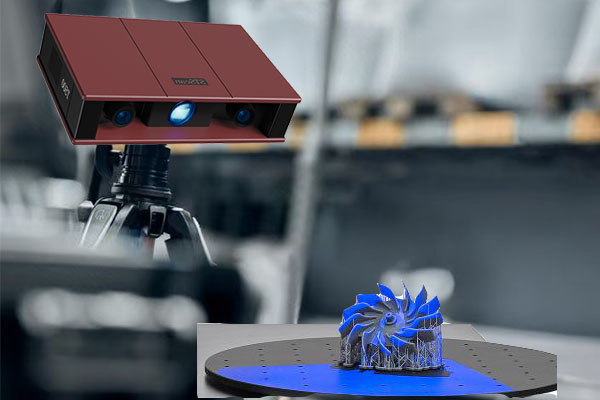
The T500 Series is included in this Terms of Service page as a STScan blue-light 3D scanner product line. Terms related to warranty, Windows 64-bit system operation, software updates, and after-sales support apply according to the confirmed quotation and sales agreement.
View T500 Series
P500 Series
The P500 Series is included as a multi-range blue-light 3D scanner system for inspection, reverse engineering, and industrial 3D data capture. Configuration details such as measuring head selection, accessories, and software workflow should be confirmed before quotation.
View P500 Series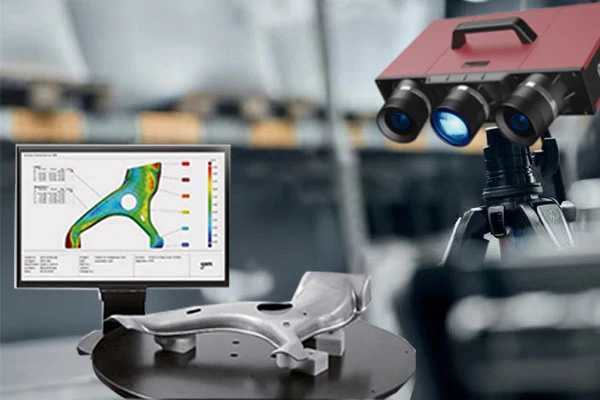
STScan Software
STScan software supports the workflow from scan capture to point cloud processing, alignment, mesh workflow, deviation analysis, and industrial data export. Software use depends on a compatible Windows 64-bit computer environment.
Explore STScan SoftwareWarranty and Hardware Environment
Detailed specifications for 3D scanner hardware requirements and warranty coverage.
| Item | T500 Series | P500 Series |
|---|---|---|
| Operating System | Windows 64-bit system | Windows 64-bit system |
| Warranty Period | One year | One year |
| Compatibility | Windows 8.1 64-bit or later; Intel i5 or above, minimum 2.0GHz; 32GB RAM; GPU supporting OpenGL 3.0 or later with 4GB RAM or more |
Windows 8.1 64-bit or later; Intel i5 or above, minimum 2.0GHz; 32GB RAM; GPU supporting OpenGL 3.0 or later with 4GB RAM or more |
| After-Sales Service | Free lifetime software updates | Free lifetime software updates |
Important Hardware Note
To reduce software lag, incomplete scan processing, or failed model export, buyers should prepare a Windows 64-bit workstation that meets the required CPU, RAM, and GPU environment before installation. For inspection, reverse engineering, or large-object scanning projects, STScan may ask the buyer to confirm the computer configuration before software setup.
Software Updates and Compatibility
STScan software is part of the scanner workflow. Buyers should use a compatible Windows 64-bit system and confirm GPU, memory, and driver environment before installation. The software update policy offers free lifetime updates, while installation support and version compatibility follow STScan support instructions.
Installation Support
Support for software installation and basic setup guidance.
Calibration Guidance
Guidance for scanner calibration, working distance, and scanning environment.
Data Processing Workflow
Point cloud processing, alignment, mesh workflow, and inspection-related output.
File and Report Output
Use export formats and reporting functions according to the confirmed software version and project workflow.
What Buyers Should Confirm Before Quotation
Before STScan recommends a scanner model or confirms a quotation, buyers should provide enough project information. A part used for mold inspection, a reflective machined component, and a large tooling sample may require different scanner configuration, software workflow, and operating environment.
- Company and country
- Application: inspection, reverse engineering, 3D printing, mold checking, or scan-to-CAD
- Part size and material
- Surface condition: matte, reflective, black, transparent, or polished
- Required accuracy & output format (STL, OBJ, PLY, ASC, IGES, STEP, or inspection report)
- Computer configuration, quantity, delivery expectation, and training requirement
- Sample photos, drawings, or CAD files if available
Use of Scan Data, CAD Files and Sample Information
For sample scan review, model selection, or technical communication, buyers may share part photos, drawings, CAD files, scan requirements, or inspection targets with STScan. These files should be used only for project evaluation, scanner recommendation, quotation preparation, and support communication unless otherwise agreed in writing.
Sample Photos
Used to understand part size, surface condition, and scanning difficulty.
Drawings & CAD
Used to evaluate accuracy target, inspection features, and output workflow.
Scan Data
Used for sample review, report discussion, or workflow confirmation.
Confidential Projects
For sensitive projects, buyers should request NDA or written confidentiality confirmation before sending restricted files.
After-Sales Support Process
Standard procedure for requesting and receiving technical support for STScan equipment.
Confirm Device & Software Version
Buyer provides model, serial info, software version, and issue description.
Describe Application Problem
Explain if issue is during calibration, scanning, alignment, mesh export, etc.
Share Photos / Recording
Send part photos, screenshots, error messages, or a short video.
Remote Guidance
STScan provides guidance for setup, distance, calibration, or workflow.
Warranty Review
If hardware failure is suspected, STScan reviews purchase record and terms.
Follow-Up & Update
Communication continues via email, form, or WhatsApp.
Terms of Service FAQ
Quick answers regarding STScan 3D scanner warranty, hardware requirements, and software policies.
What products are covered by STScan Terms of Service?
What is the warranty period for T500 and P500 Series?
What operating system is required for STScan software?
What computer configuration is recommended?
Are STScan software updates free?
What should I prepare before asking for a quotation?
Can STScan create CAD files from scanned data automatically?
How can I contact STScan for support?
Need to Confirm Warranty, Software or Hardware Requirements?
Send STScan your scanner model, application, computer configuration, and support question. Our team can help review whether your workstation meets the required Windows 64-bit hardware environment and explain the next step for software setup, quotation confirmation, or after-sales support.
Direct Contact
sale@stscan.com / lpl@stscan.com
Rooms 1207–1208, Building 1, No. 19 Keji 3rd Road, Songshan Lake Park, Dongguan City, Guangdong Province, China
This page is for general service reference. Final terms are subject to the confirmed quotation, invoice, or written agreement between STScan and the buyer.